

GreekTranscoder
GreekTranscoder is free software: you can redistribute it and/or modify it under the terms of the GNU General Public License as published by the Free Software Foundation, either version 3 of the License, or (at your option) any later version.
GreekTranscoder is distributed in the hope that it will be useful, but WITHOUT ANY WARRANTY; without even the implied warranty of MERCHANTABILITY or FITNESS FOR A PARTICULAR PURPOSE. See the GNU General Public License for more details.
You should have received a copy of the GNU General Public License along with GreekTranscoder. If not, see https://www.gnu.org/licenses/.
What is GreekTranscoder?

Introduction
GreekTranscoder is a program which converts polytonic Greek characters written using one text encoding into another one. Its primary goal is to allow the conversion of documents using older fonts and legacy encodings into Unicode fonts. However, it also allows converting text between legacy encodings as well as from Unicode into those older and often obsolete formats.
Quite recently, SPIonic was still in use on older Braille-compatible hardware to give blind students and scholars access to ancient Greek texts.
Legacy Encodings
The current version of the program, GreekTranscoder 2, supports the following legacy encodings:
- Beta Code
- BibleWorks
- Galilee
- GreekKeys
- Ismini
- LaserGreek
- Lector
- Paulina Greek
- SGreek
- SPIonic
- SuperGreek
- Teknia
- Titus Greek
- Vilnius University
- WinGreek/Son of WinGreek
Note: conversions to WinGreek and Titus are not possible on Windows due to the technical limitations inherent to that platform. They only work on macOS.
Important: only GreekTranscoder 2.0.5 (or later) is fully compatible with the WinGreek encoding. Because they use the .docx document format exclusively, versions 2.0.0–2.0.4 may silently delete WinGreek quote characters. Please make sure you upgrade to the latest version of the program before using it.
Unicode
And, of course, GreekTranscoder 2 fully supports Unicode. The program lets you decide which options you wish to apply to your Unicode text.
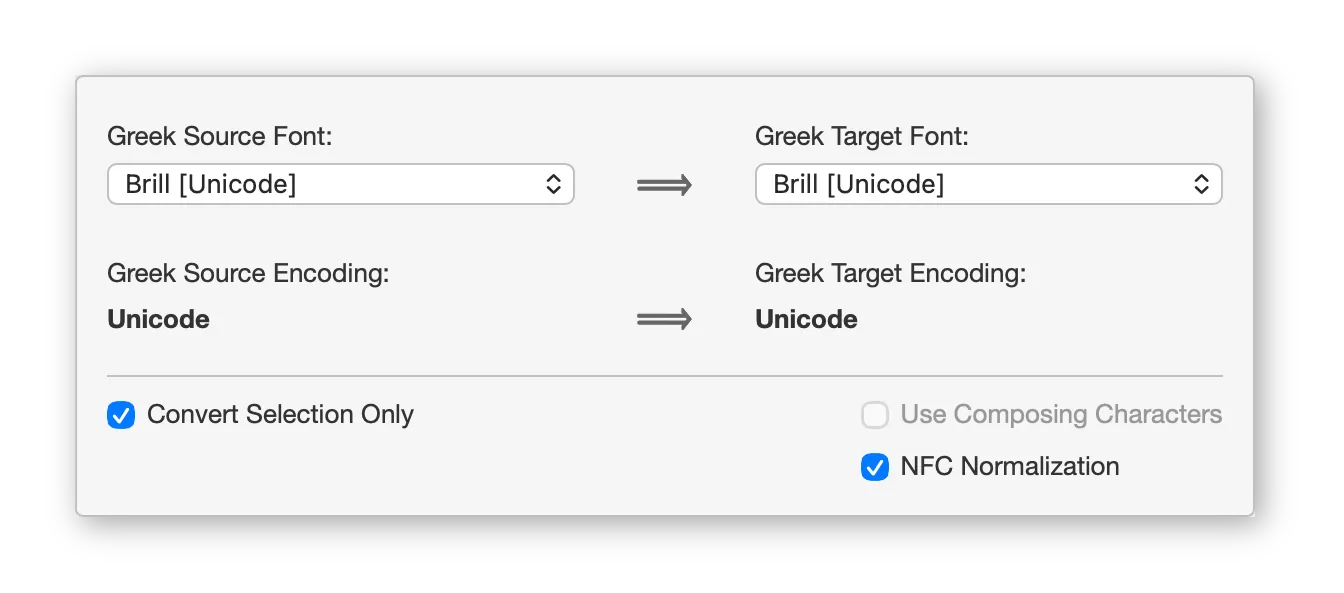
- You can choose between composed or composing characters.
- Regarding Unicode codepoints which should be “deprecated” and thus “canonized” (or “normalized”) according to the Unicode Consortium, you can either conform your text to the NFC standard for composed characters or to the TLG usage for composing characters, or keep on using scholarly forms (the program’s default).
In other words, a Unicode text can be converted into Unicode itself with different conversion settings, resulting in four distinct Unicode modes.
| Mode | Best for |
|---|---|
| Composed Scholarly | Academic work, print publications (default) |
| Composed NFC | Web pages, digital archives |
| Composing Scholarly | Text processing (lemmatization, TEI, etc.) |
| Composing TLG | TLG corpus compatibility |
New in GreekTranscoder 2
GreekTranscoder 2 is a major upgrade which offers many improvements and some new features.
- Footnotes, endnotes, headers and footers
- Native macOS interface
- Improved interface for Windows and macOS
- Ribbon integration
- Document versioning and file safety.
- Updated font list
- Full NFC and TLG compliance
- New legacy encodings: BibleWorks, Galilee, Lector, Teknia and Titus Greek
- Language preference saved
- Transcoding improvements
- GreekBetaSymbol Utility
Note: a complete version history listing all the changes made to GreekTranscoder since its initial release and containing a lot of technical information about the program is available here.
- The program has been rewritten to better support recent versions of Microsoft Office and it is now once again possible to transcode a whole document at once, including footnotes, endnotes, headers and footers.
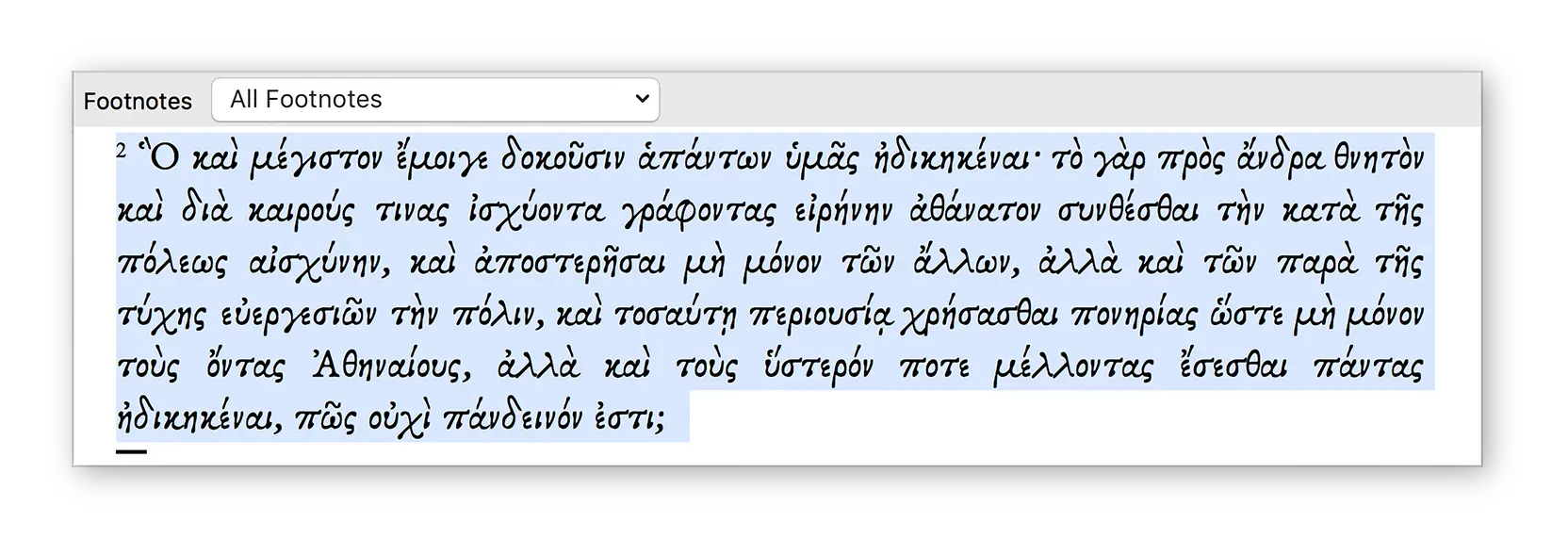
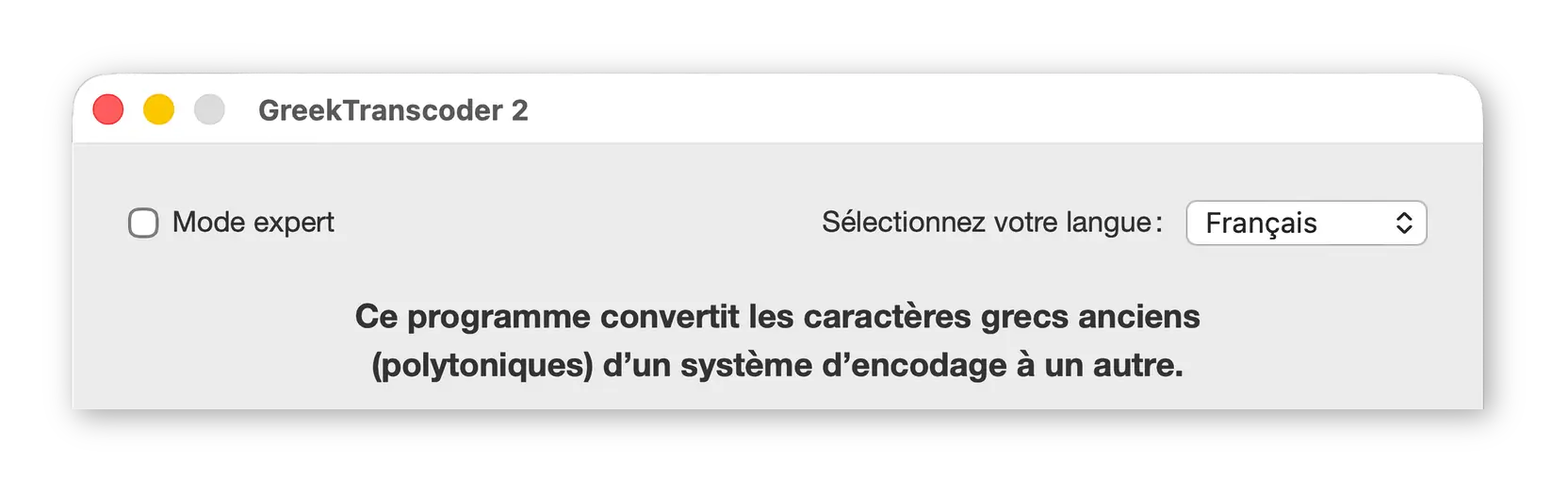
- The macOS version of GreekTranscoder 2, which now requires Microsoft Word 2016 for Mac or later, comes with a dedicated native macOS application to provide the program’s interface and replace the default user form which cannot be edited any longer using Word on macOS.
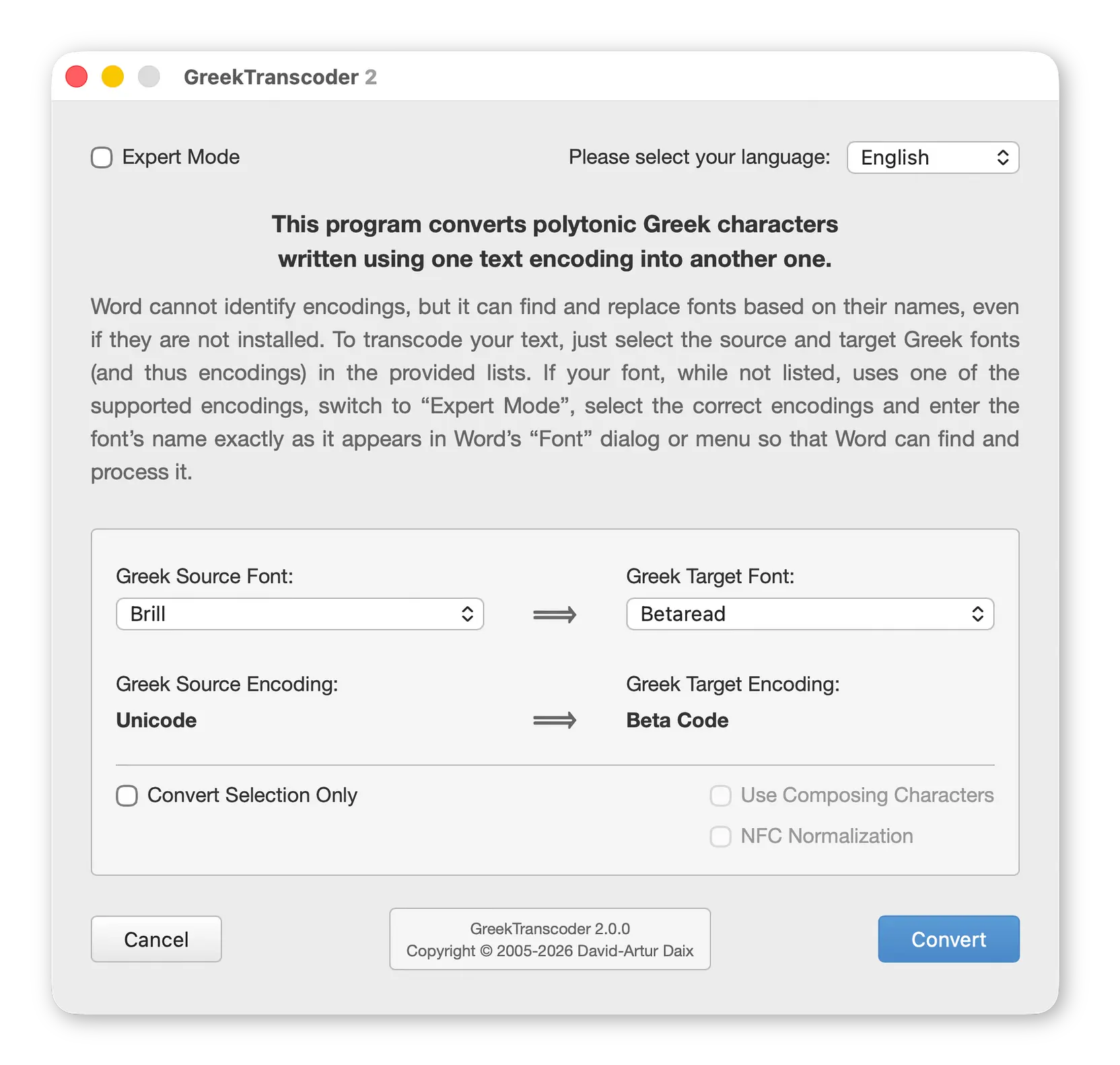
- The version of GreekTranscoder 2 compatible with both Windows and macOS has also been updated. Its interface now uses the Segoe UI system font on Windows and Helvetica on macOS, where its size has been increased to work better on Retina displays.
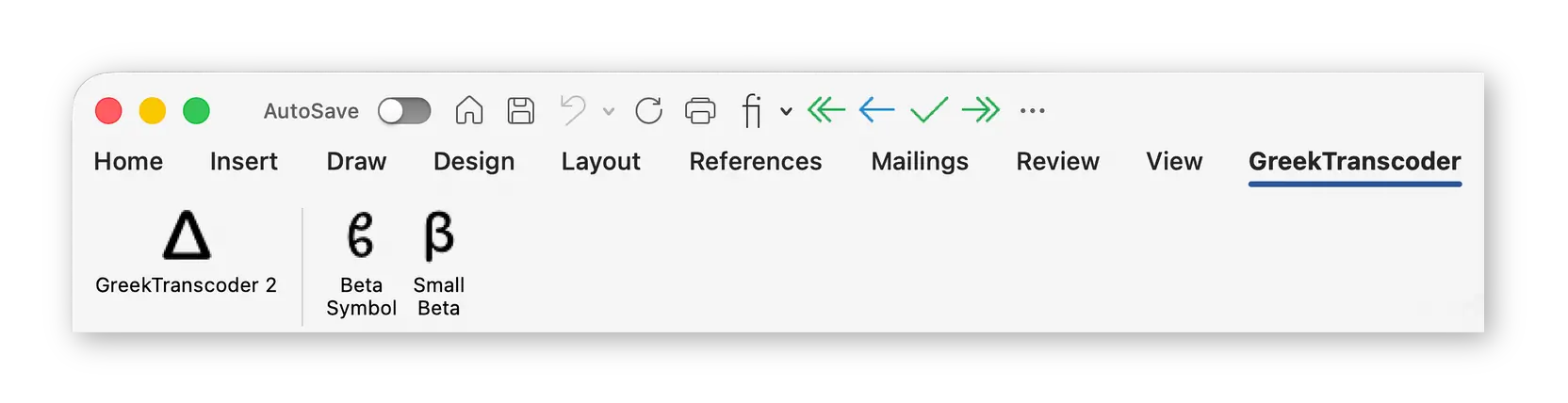
- The macOS and the Windows versions of the program now fully support the Ribbon in Microsoft Word, providing easy access to GreekTranscoder 2.
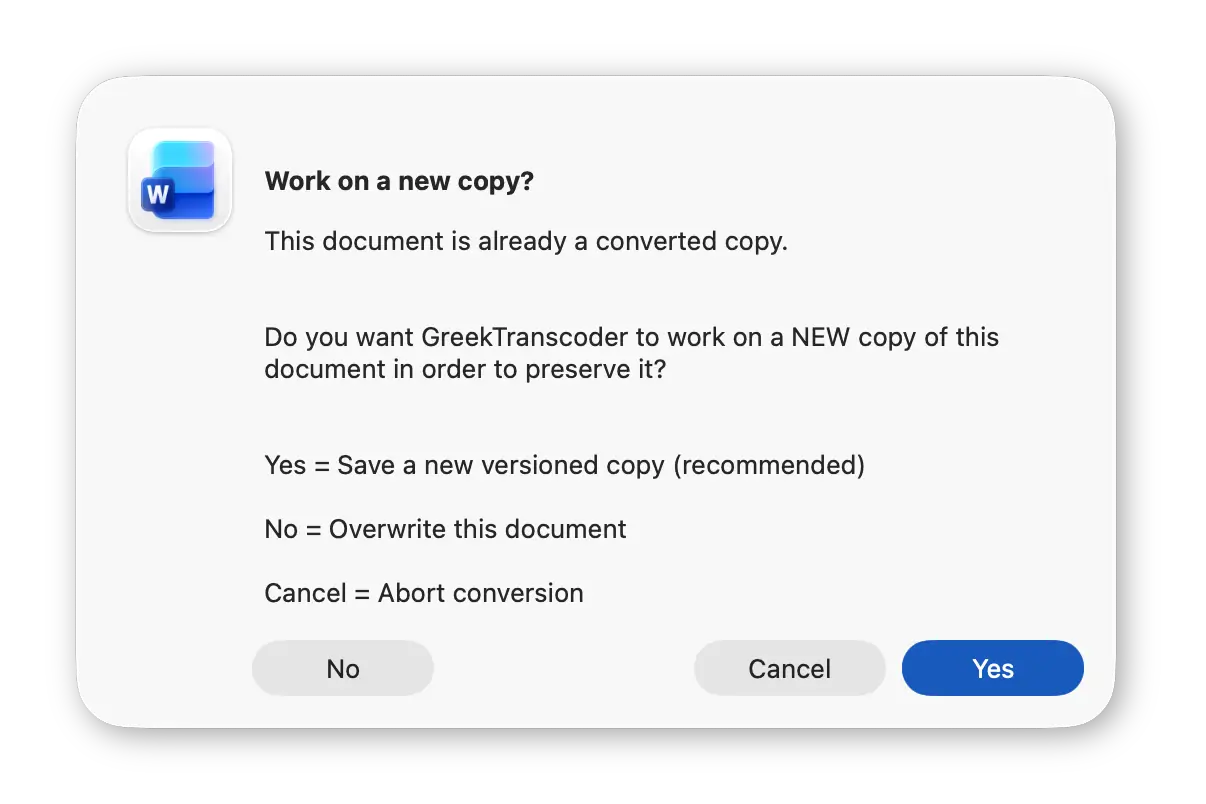
- Improved file safety: GreekTranscoder 2 now automatically creates versioned filenames when saving transcoded documents, ensuring that your original files and previous conversions are never accidentally overwritten.
- The list of supported fonts has been updated to remove obsolete entries (Arial Unicode MS, Garamond Classical, Vusillus Old Face, etc.) and add modern ones (Brill, Noto Sans and Noto Serif, SBL Greek, etc.). Moreover, the list is now organized by encoding to group together related fonts.
- GreekTranscoder 2 includes full support for the NFC standard for composed characters and keeps on supporting the TLG usage for composing characters.
You can now easily determine the characteristics of your Greek texts by using the Unicode Checker form provided on this web site:
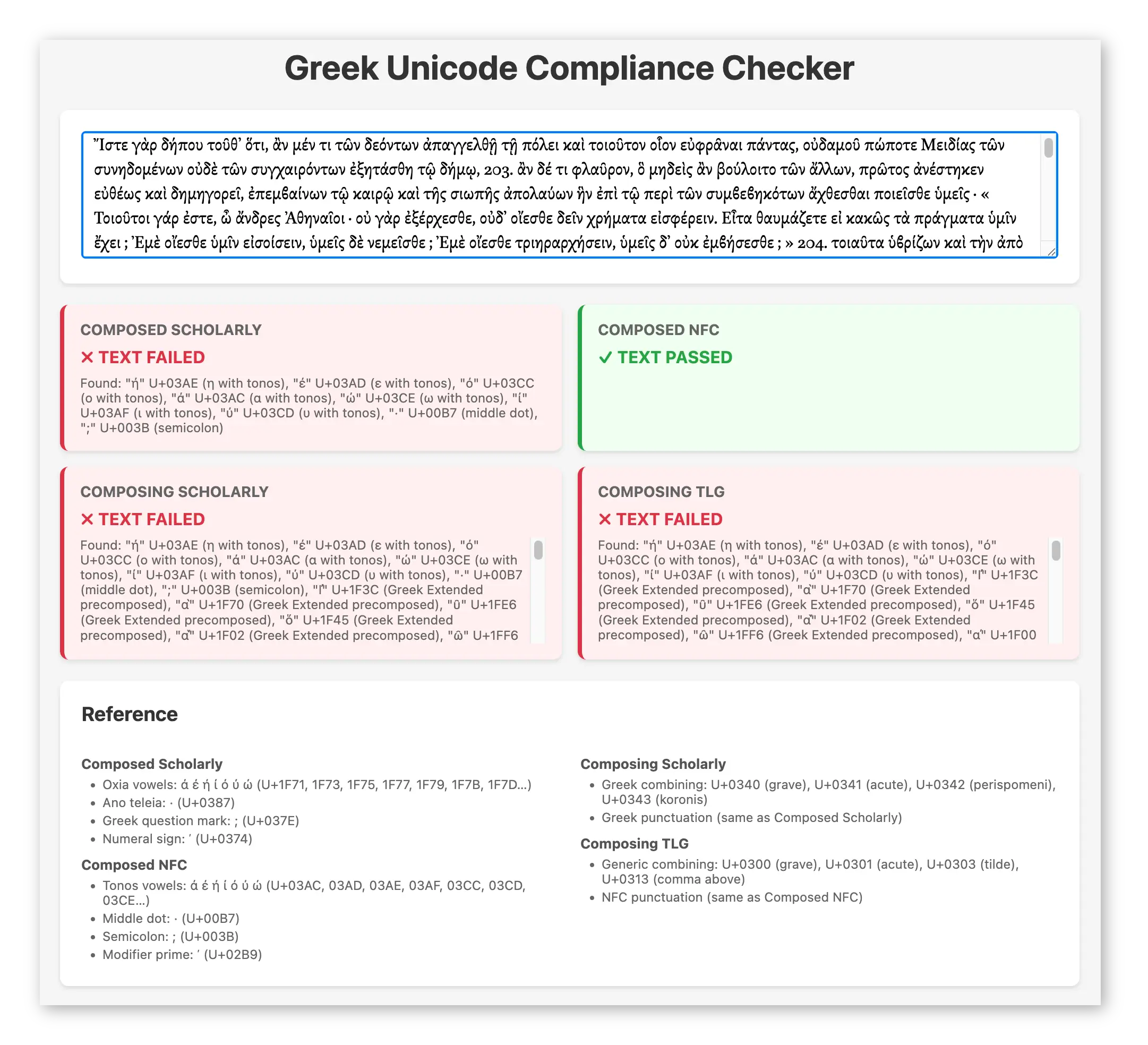
Available options are controlled by two checkboxes in GreekTranscoder 2. Once combined, they provide all the desired settings:
Use Composing Characters NFC Normalization / TLG Usage Result ☐ OFF ☐ OFF Composed Scholarly ☐ OFF ☑ NFC Normalization Composed NFC ☑ ON ☐ OFF Composing Scholarly ☑ ON ☑ TLG Usage Composing TLG - GreekTranscoder 2 adds support for four additional legacy encodings: BibleWorks, Galilee, Lector, Teknia and Titus Greek.
BibleWorks has been discontinued in 2018 and Antioch has been withdrawn from sale in 2022 (its converters do not work any longer on recent versions of Windows), making the support of additional legacy encodings more pressing.
- The user’s preferred language is now saved between sessions.
- Thanks to a new marker system, GreekTranscoder 2, now supports the “lossless” transcoding of typographical quotation marks and apostrophes when converting texts between encodings that natively support such features (Unicode and, to a lesser degree, Vilnius and WinGreek) and encodings which do not (Beta Code, BibleWorks, SuperGreek, LaserGreek, Paulina Greek, SGreek, etc.).
Note: as of version 2.0.2, GreekTranscoder 2 includes a utility macro, RemoveQuoteMarkers, that lets you strip those markers from legacy-encoded texts if needed. It is available from the “Macros…” dialog.
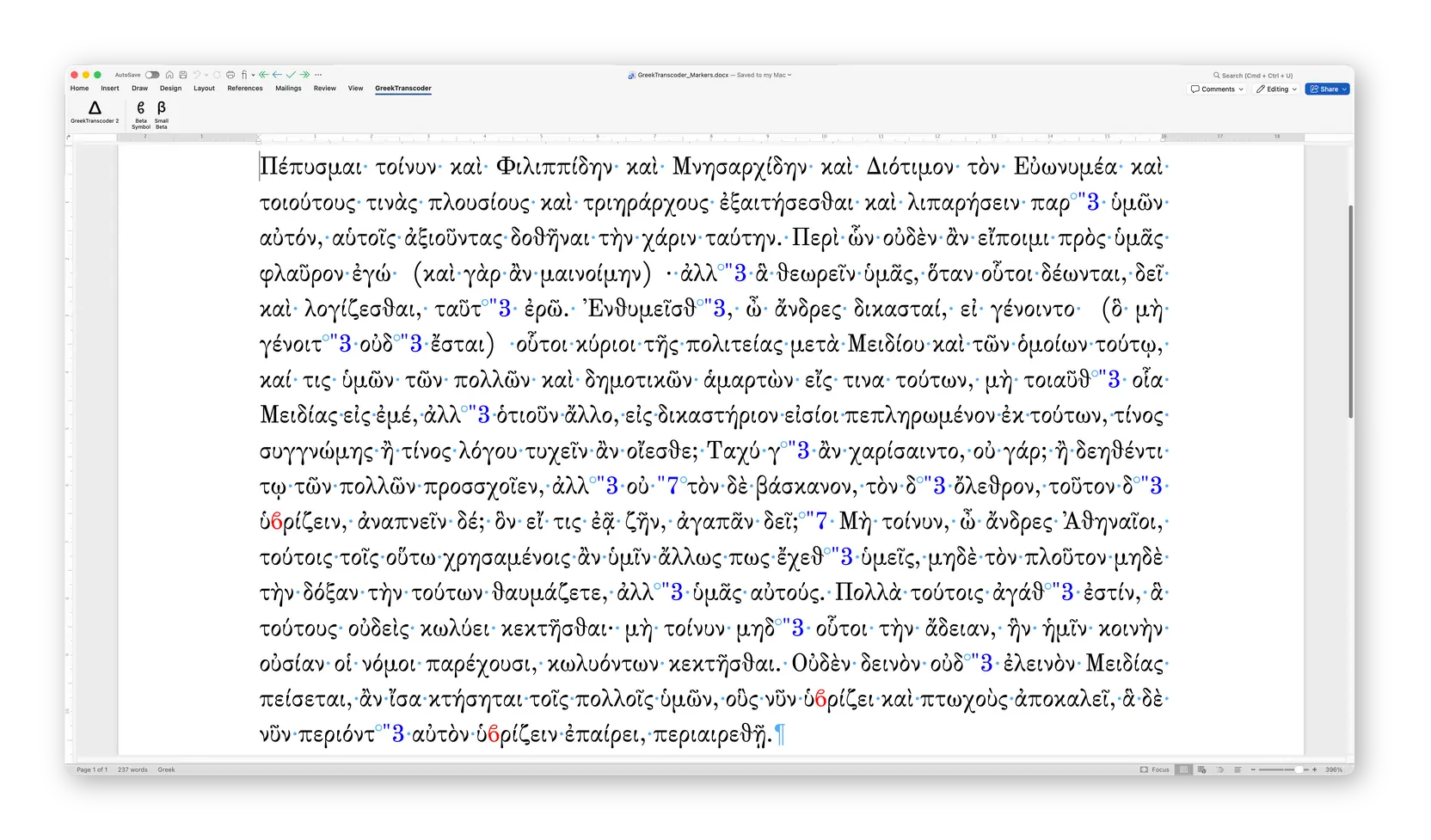
Moreover, when converting text between Unicode fonts, the program makes sure that the greek beta symbol character (ϐ: U+03D0), which is used as a medial beta in the French editorial tradition since the Renaissance, is correctly formatted using the target font if it contains it.
- A new integrated utility, GreekBetaSymbol, is now included with GreekTranscoder 2. It allows for two-way conversions between greek small letter beta (β: U+03B2) and greek beta symbol (ϐ: U+03D0).
Using “curly betas” as medial betas is a French typographical convention dating back to the Renaissance.
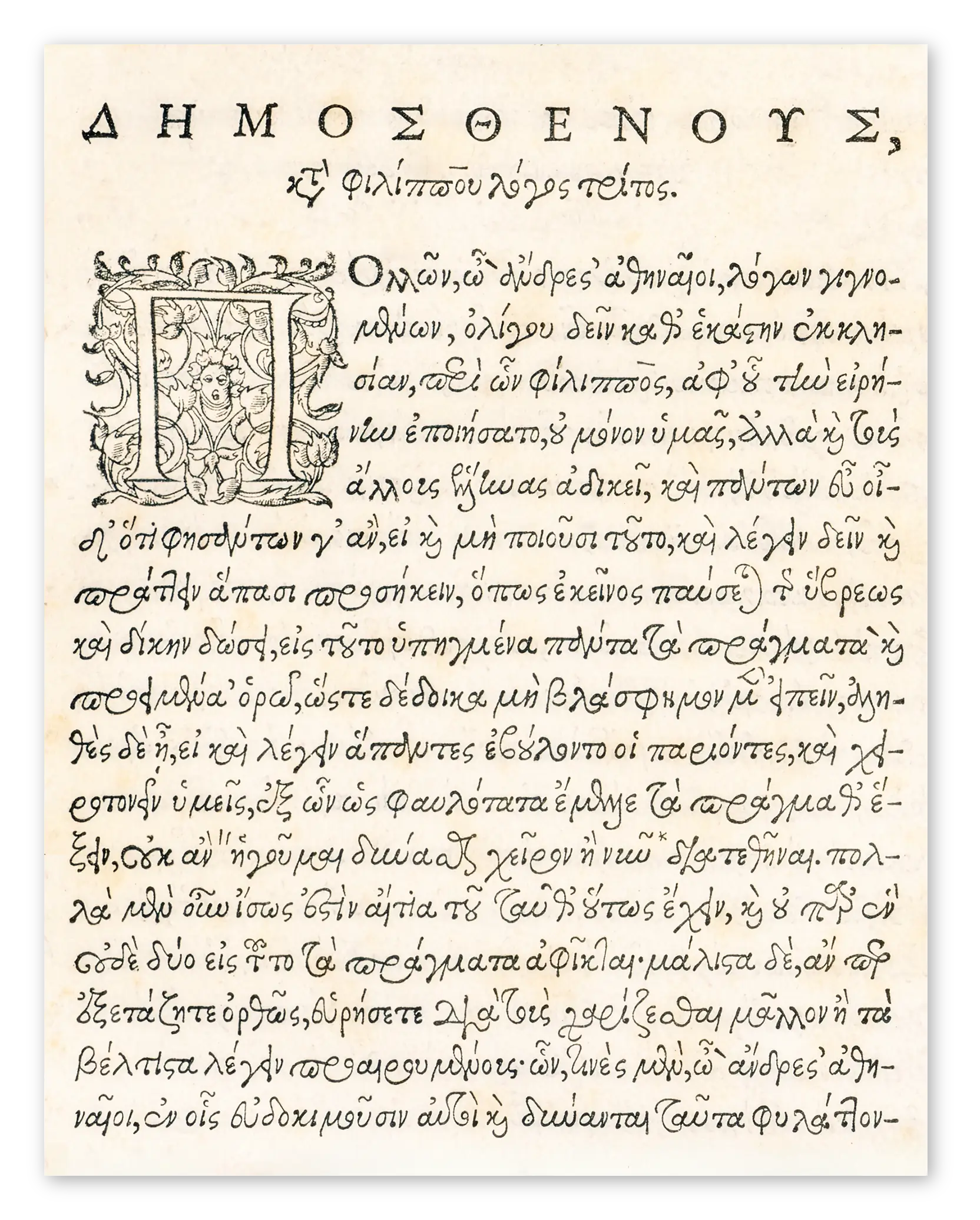
Incipit of Demosthenes’ Third Philippic in the edition of Morel and Lambin, Paris, 1570.
Source: gallica.bnf.fr / BnF (retouched image).
System requirements
GreekTranscoder 2 is distributed as a Word Macro-enabled Template. There are two versions of the program:
- One, simply called GreekTranscoder 2, is compatible with both Microsoft Word for Windows and Microsoft Word for macOS, but relies on the default interface designed for Windows users.
- The other, GreekTranscoder 2 for macOS, only works on macOS and relies on a native macOS application to provide the user with a modern and improved user interface. However, it may be more complicated to install in some cases.
The macros themselves are programmed using Visual Basic for Application.
Your version of Microsoft Word and your operating system must support Unicode to use the program. Minimum requirements are as follows.
Windows
Microsoft Word 2010 or later, and Windows XP SP3 or later. GreekTranscoder 2 has been tested successfully with Microsoft Word 2024 (and Office 365) and Windows 11.
Mac users who wish to keep on using Microsoft Word 2011 can install the Windows version of GreekTranscoder 2: compatible with both Microsoft Word for Windows and Microsoft Word for macOS. While unsupported when used with Word 2011, the program should still work well enough (GreekTranscoder 2 is not compatible with Microsoft Word 2008, which does not support macros).
Note: GreekTranscoder 2 will probably run fine on Microsoft Word 2007, but that configuration is not officially supported. It might even still work with Microsoft Word 2003 for Windows and Microsoft Word 2004 for Mac provided you save it as a Word 1997-2003 Template (file extension “.dot”).
macOS
Microsoft Word 2016 or later, and OS X Yosemite 10.10 or later. GreekTranscoder 2 has been tested successfully with Microsoft Word 2024 (and Office 365) and macOS Tahoe 26.
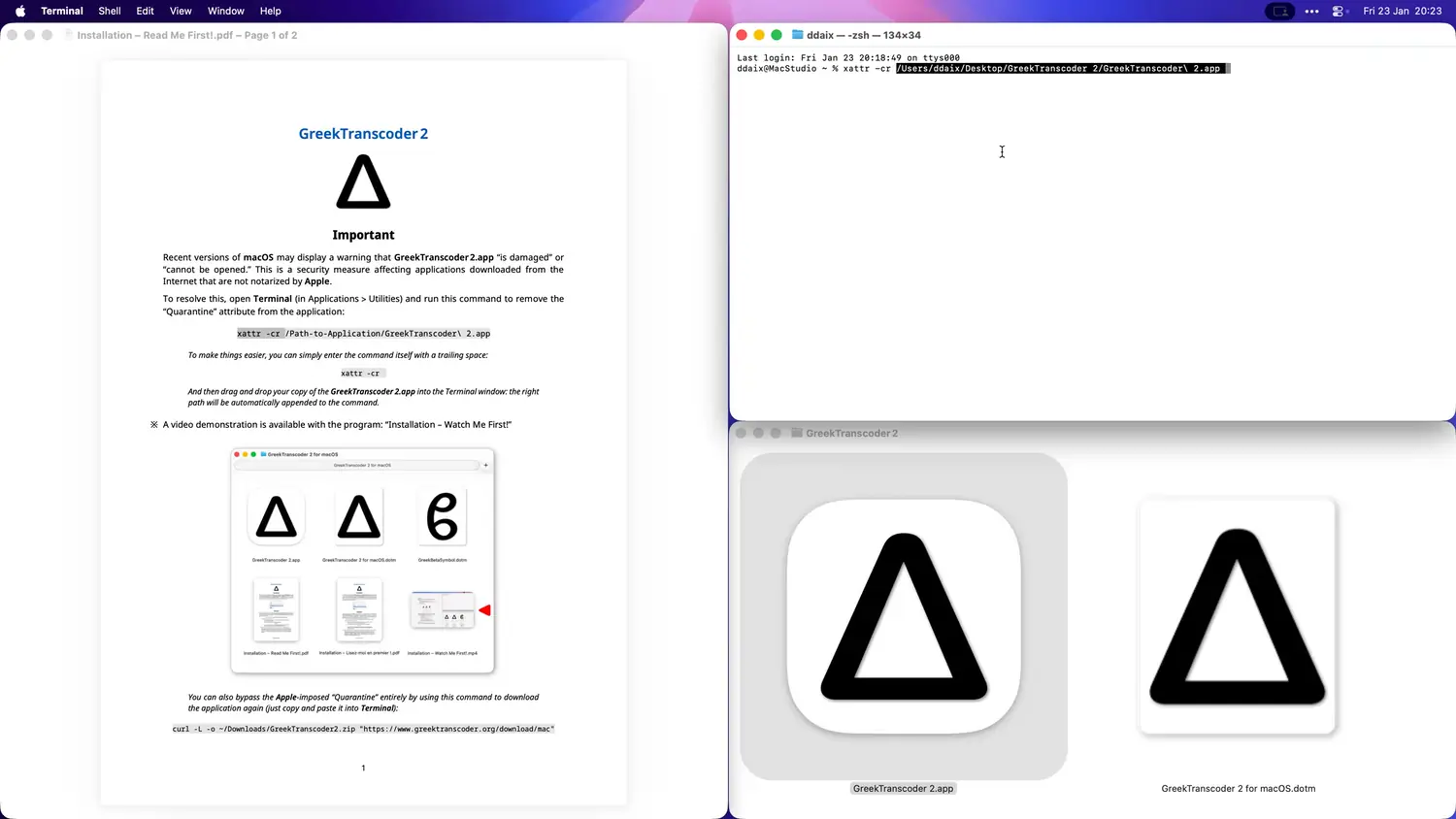
Important: when using the macOS-only version, macOS may display a warning that GreekTranscoder 2.app “is damaged” or “cannot be opened.” This is a security measure affecting applications downloaded from the Internet that are not notarized by Apple.
To resolve this, open Terminal (in Applications > Utilities) and:
- Either bypass the entire Quarantine process by downloading the application again with this command (just copy and paste it):
bash/zsh
curl -L -o ~/Downloads/GreekTranscoder2.zip "https://www.greektranscoder.org/download/mac" - Or, if you prefer using the already installed GreekTranscoder 2.app, run this command after adjusting the path as needed:
bash/zsh
xattr -cr ~/Path-to-Application/GreekTranscoder\ 2.appNote: to make things easier, you can simply copy and paste the command itself with a trailing space:
bash/zshxattr -crAnd then drag and drop your copy of the GreekTranscoder 2.app into the Terminal window: the right path will be automatically appended to the command. Like this:
GPL
This version of the program is released under the GPL. It means the source code is readily available.
Just open the Word Macro-Enabled Template (file extension “.dotm”) containing GreekTranscoder 2 in Microsoft Word as you would any other document and launch Visual Basic Editor to access it.
Or study the AppleScript in the GreekTranscoder 2.app macOS-only application by opening it in Script Editor.
How does GreekTranscoder 2 work?
Warning: on macOS, do not try to convert a document located in a folder managed by iCloud, Dropbox, Google Drive, OneDrive, etc. Word is a sandboxed application and GreekTranscoder 2 will usually be prevented from saving converted documents or working on them if they are being synced by those utilities.
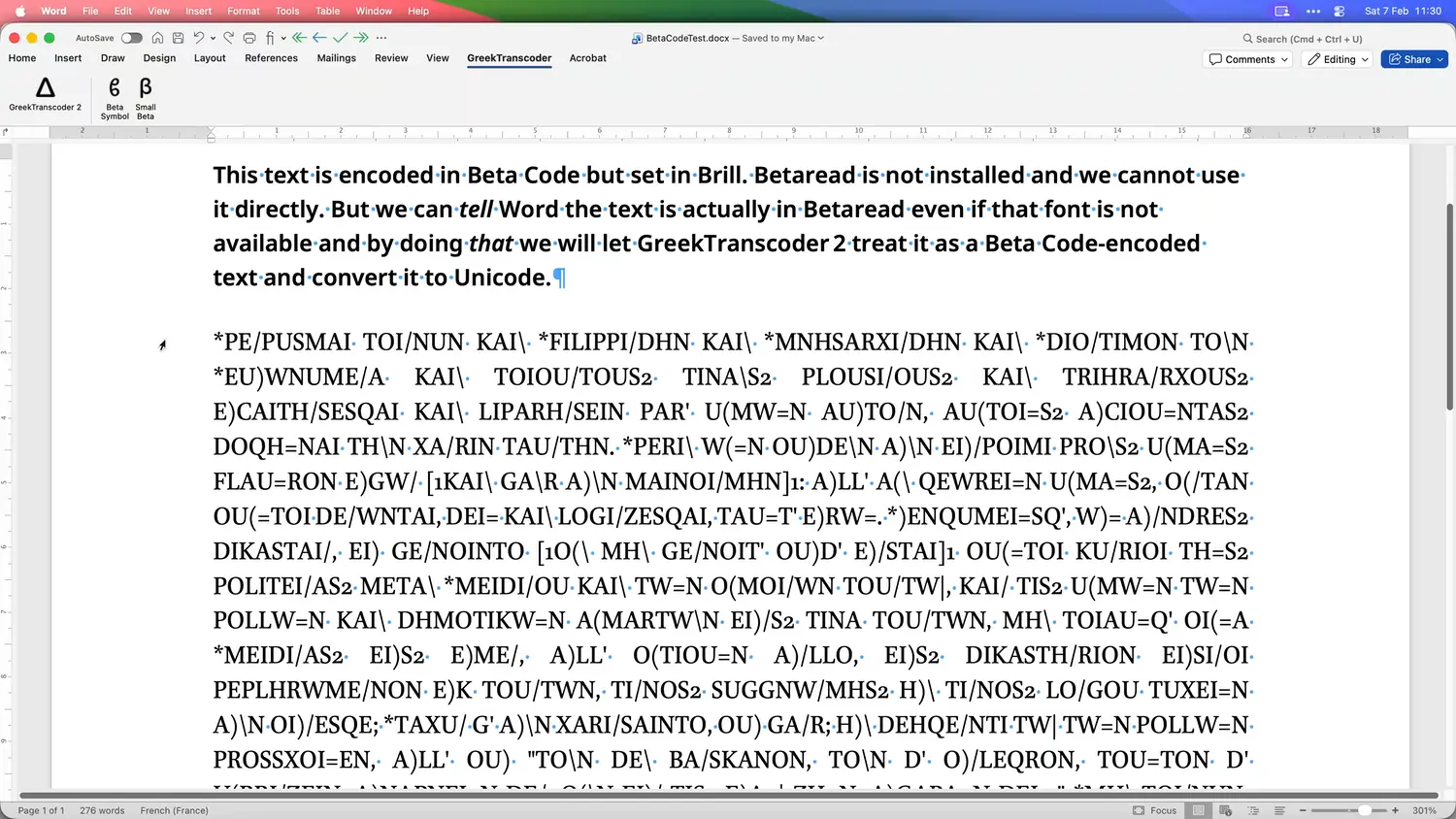
While Microsoft Word cannot identify encodings, it can find and replace fonts based on their names, even if they are not installed.
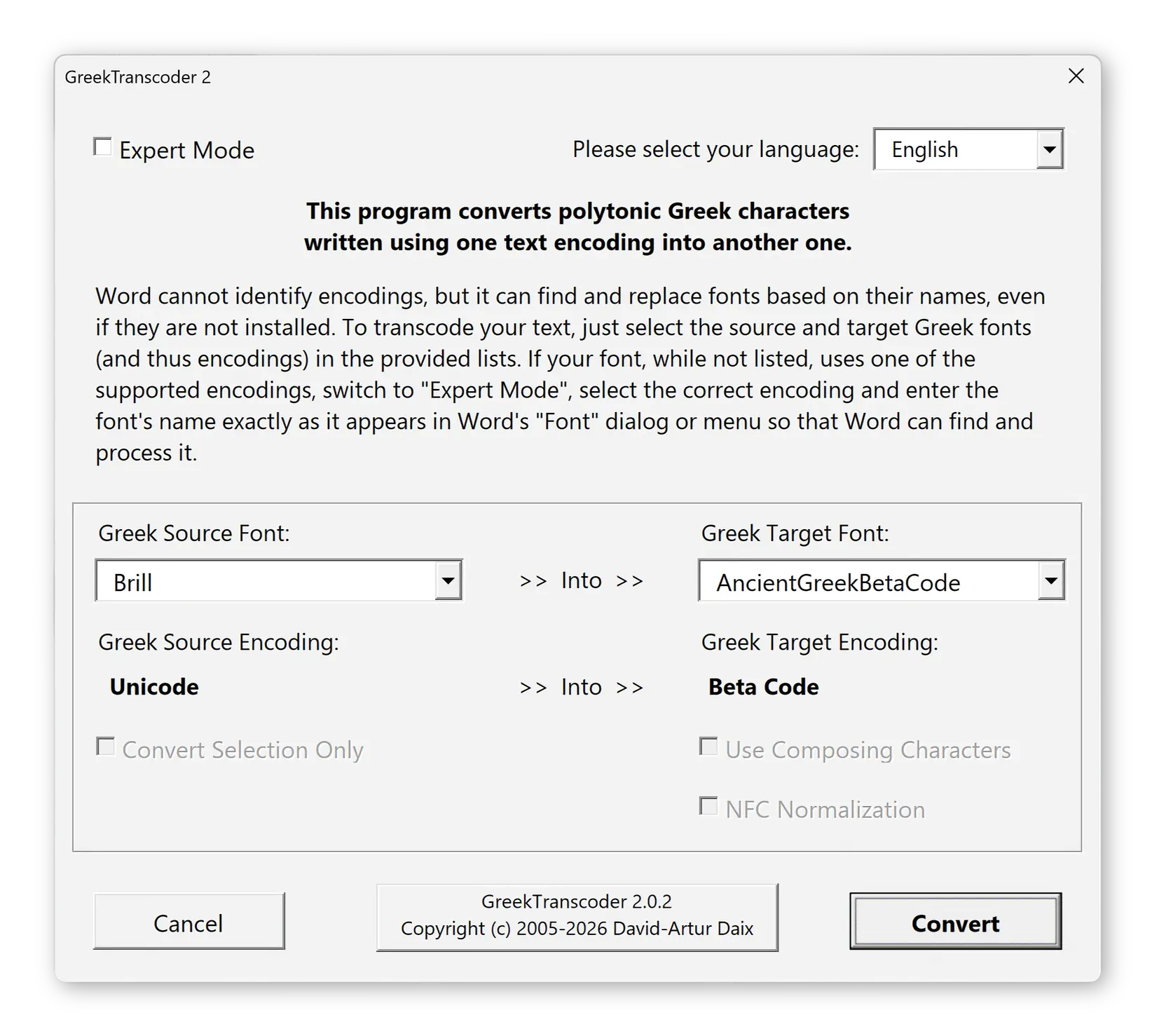
To transcode your text, just select in the provided lists the Greek font currently used in your document (the “Source Font”) as well as the Greek font that uses the encoding you wish to use from now on (the “Target Font”):
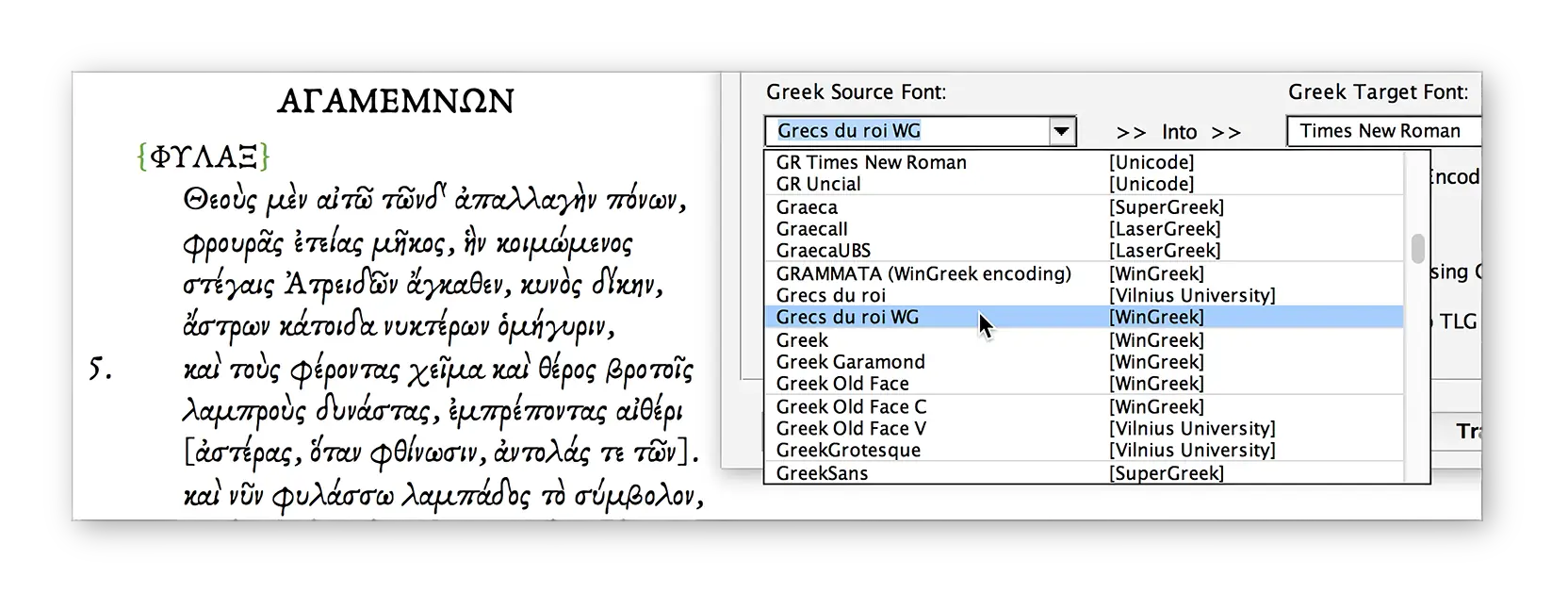
Then select your conversion options and press “Convert”.
If you do not have access to the original fonts used in your documents any longer, do not worry. You just need to tell Word your documents are using such and such legacy fonts even if they are not currently installed. Just select your Greek text and switch it to the desired font by entering its name in Word’s “Font” menu or dialog exactly as it appears in GreekTranscoder 2’s “Greek Source Font” list.
See the documentation that comes with the program for more details.
Troubleshooting & FAQ
- macOS says the application “is damaged”
- Windows flags GreekTranscoder 2 as a threat
- Loading GreekTranscoder 2 when Word starts up
- Source Font not in use!
- Target Font badly supported
- macOS & Windows UI issues
- Conversion created thousands of tracked changes
- macOS: macros not visible in the “Macros…” dialog
-
macOS says GreekTranscoder 2.app “is damaged” and cannot be opened
This message appears because macOS quarantines applications downloaded from the Internet that are not notarized by Apple. The application is not actually damaged.
To resolve this, open Terminal (in Applications > Utilities) and run the following command after adjusting the path as needed (see the tips here to make things easier):
bash/zshxattr -cr ~/Path-to-Application/GreekTranscoder\ 2.appIt removes the Quarantine attribute and allows the application to launch normally.
Alternatively, you can simply copy and paste this command “as is” in Terminal to download the application while avoiding the Apple-imposed Quarantine:
bash/zshcurl -L -o ~/Downloads/GreekTranscoder2.zip "https://www.greektranscoder.org/download/mac" -
Windows Defender flags GreekTranscoder 2 as a threat when extracting the downloaded archive
This is a false positive. Windows Defender uses machine learning to scan files downloaded from the Internet, and the large number of character-encoding instructions in GreekTranscoder’s macro code can trigger a heuristic detection that mistakes them for obfuscated malicious code. The template does not contain any malware.
A VirusTotal analysis of the macro code shows that the overwhelming majority of antivirus engines report it as clean. The few that flag it do so based on generic heuristics, not on the identification of any actual threat.
You can submit the file yourself to Microsoft for analysis if you want.
If you are satisfied with the results, you can resolve this issue by doing the following:
- Open Windows Security (search for it in the “Start” menu).
- Go to “Virus & threat protection > Protection history”.
- Find the GreekTranscoder entry and choose “Restore” to recover the quarantined file.
- Then go to “Virus & threat protection > Virus & threat protection settings > Exclusions” and add the folder where you store the GreekTranscoder 2 template.
This will prevent Windows Defender from quarantining the file again.
-
How can I load GreekTranscoder 2 into Word at startup to bypass macro-related warnings and use it as a global template?
There are two ways to do that. Either designate GreekTranscoder 2 as a trusted global template in Word (the method used to achieve that changes depending on the version of the program you are using; in Word 2019 for macOS, for instance, you can use the “Tools > Templates and Add-ins” menu item). Or copy the Word Macro-Enabled Template (file extension “.dotm”) containing GreekTranscoder 2 into the Word “Startup” folder, the location of which is set in the application’s preferences.
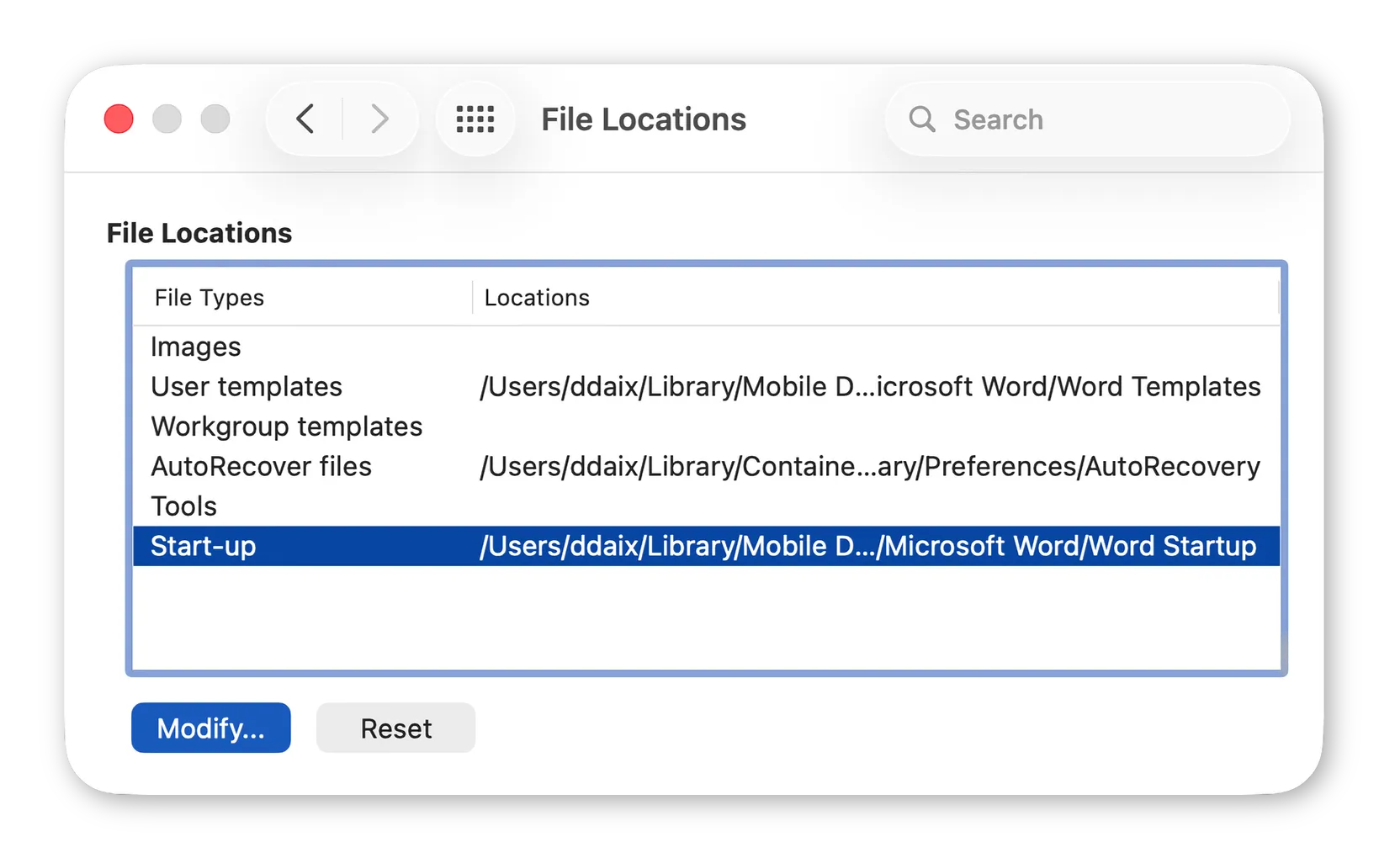
In Word for macOS, it is easy to find and to customize the “Startup” folder. In Word’s preferences, simply click on the “File Locations” preference pane, locate the “Startup” line, select it and click “Modify”: you can then designate the folder of your choice to act as the Word “Startup” folder.
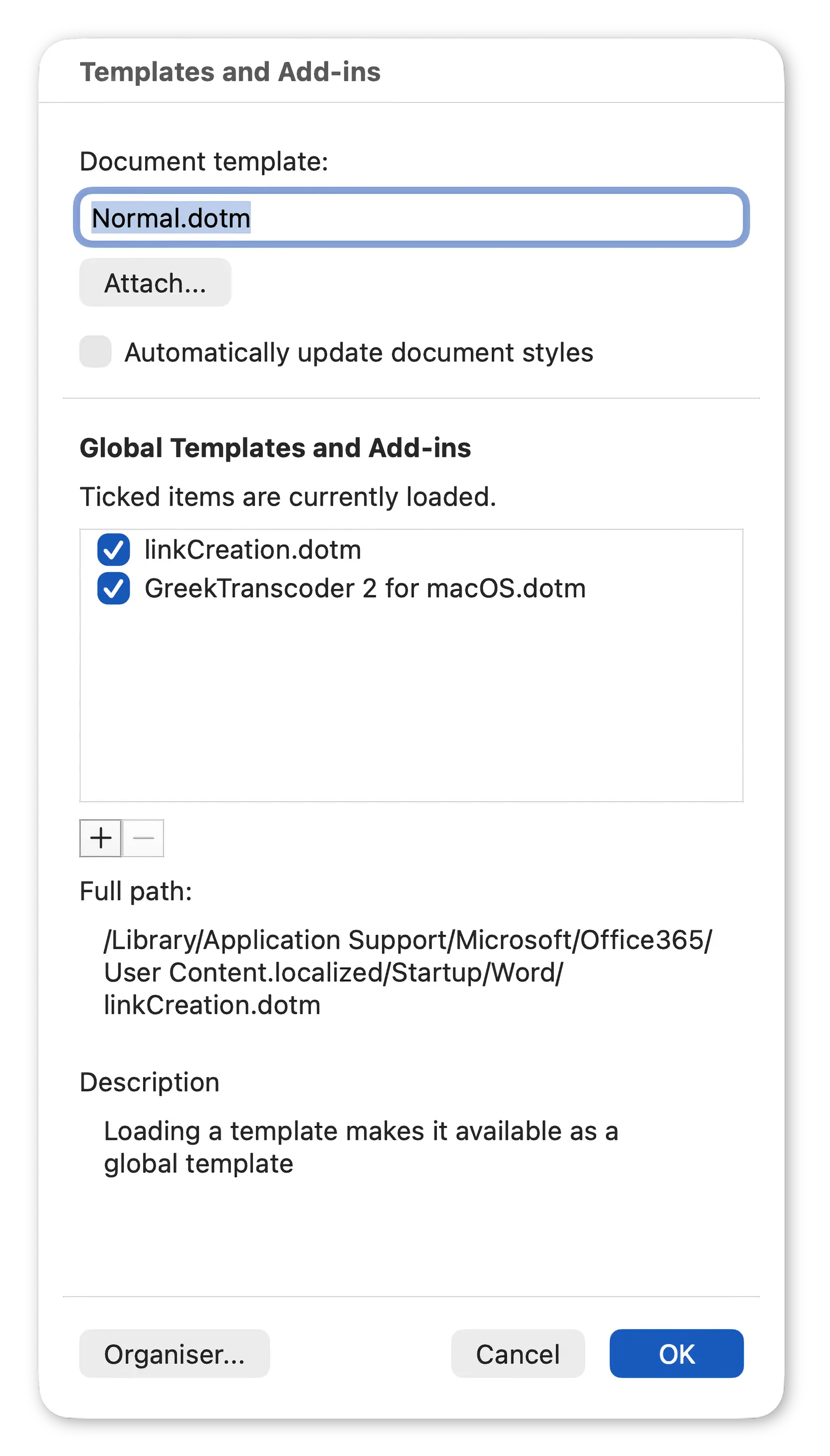
Alternatively, you can also use the “Templates and Add-ins…” dialog available through the “Tools” menu to add GreekTranscoder 2 to the list of global templates loaded at startup by pressing the “+” button.
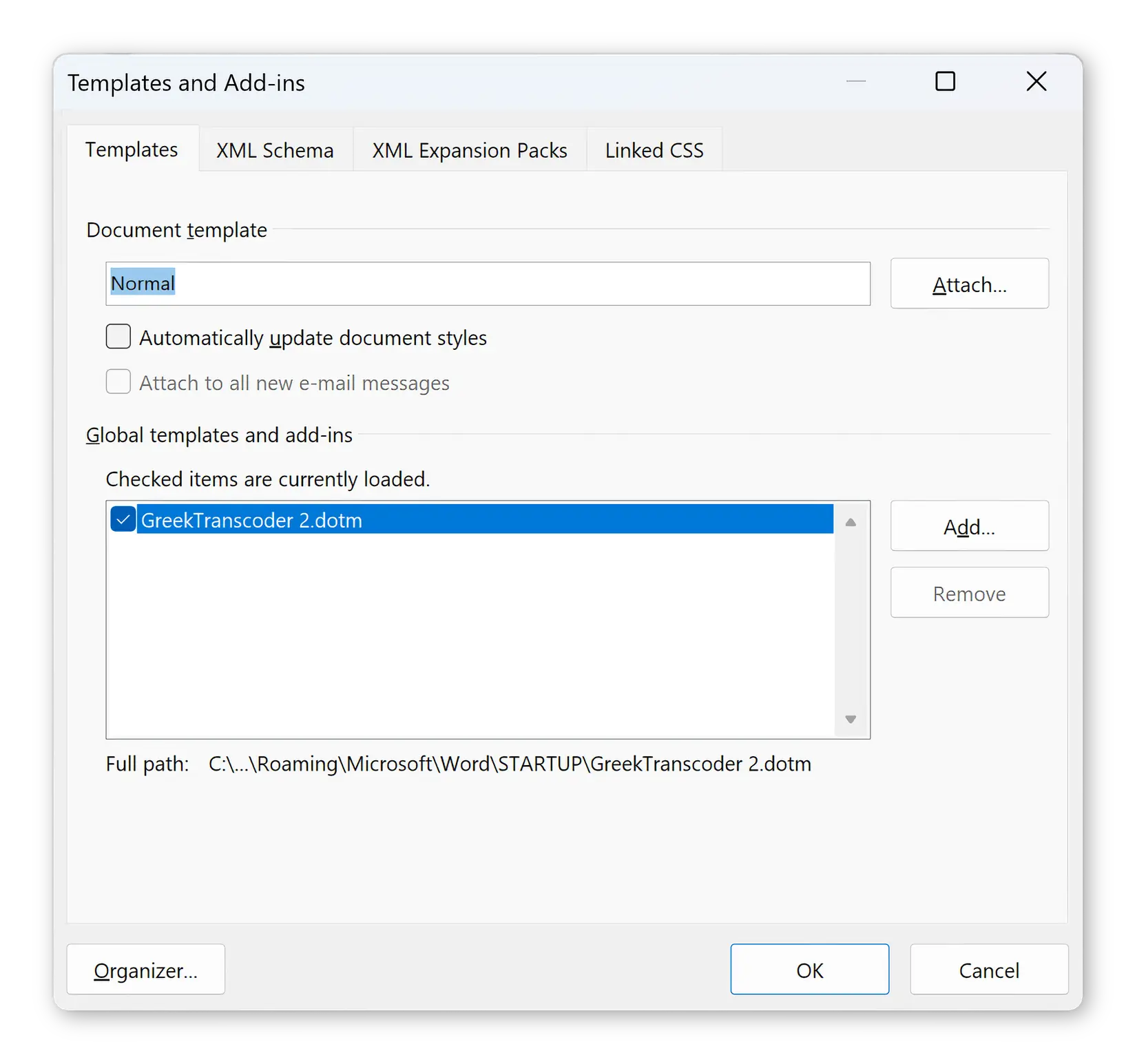
In Word for Windows, go to Word’s options, select the “Add-ins” section, choose “Word Add-ins” in the pop-up menu and in the dialog that appears add GreekTranscoder 2 to the list of global templates loaded at startup:
Note: on Windows 7, 8, 10 and 11, the “STARTUP” folder is located in your home, under:
\AppData\Roaming\Microsoft\Word\STARTUP\
Once you have set the Word “Startup” folder and copied the GreekTranscoder 2 “.dotm” file into it, you must restart Word for the change to take effect. Word will then load and trust GreekTranscoder 2 each time you start it up.
-
GreekTranscoder 2 cannot find the source font in the document!
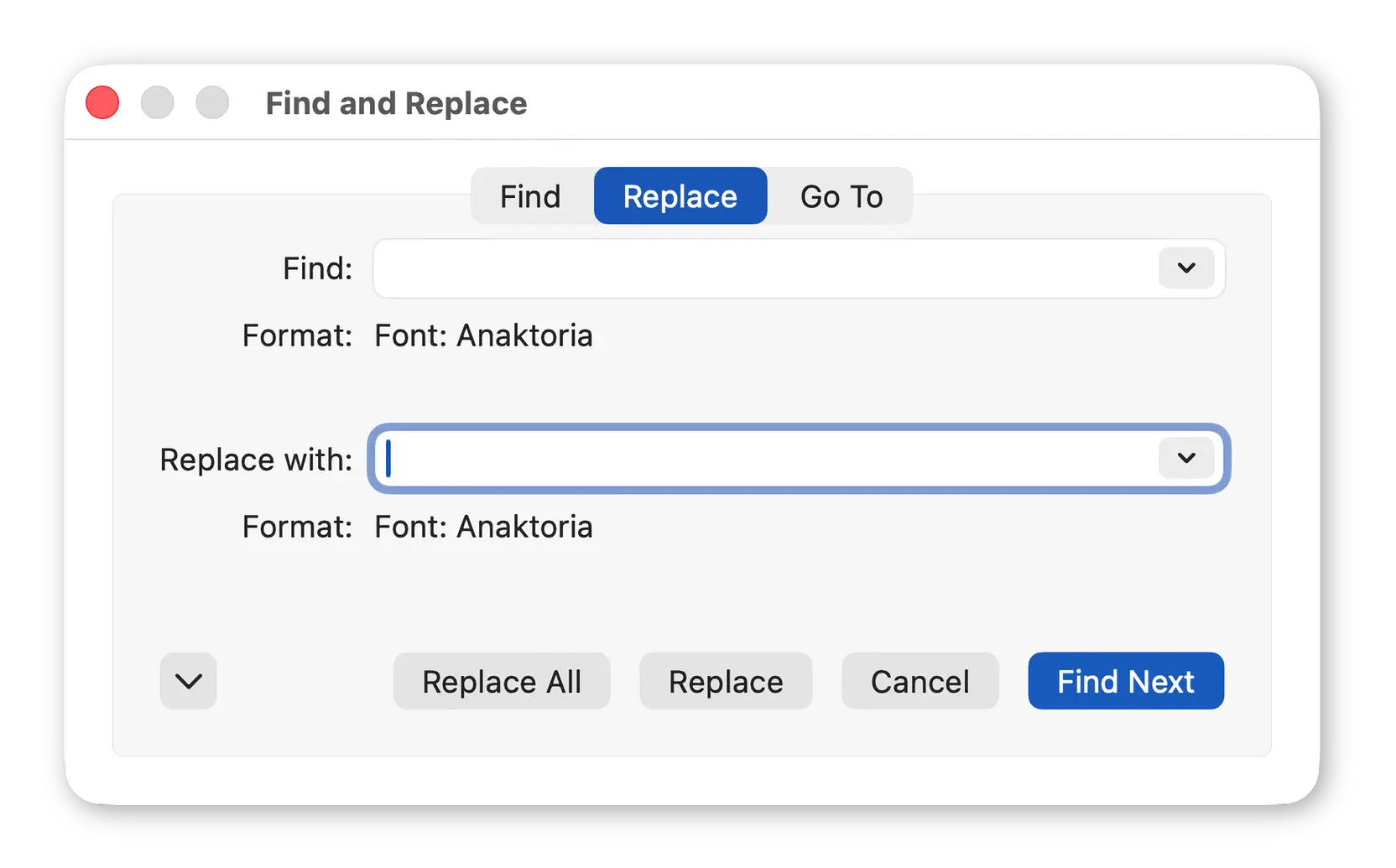
Word sometimes cannot locate the text that uses your source font. To solve the problem, you should replace the source font with itself everywhere in the document using a format-only “Find and Replace”. That usually works.
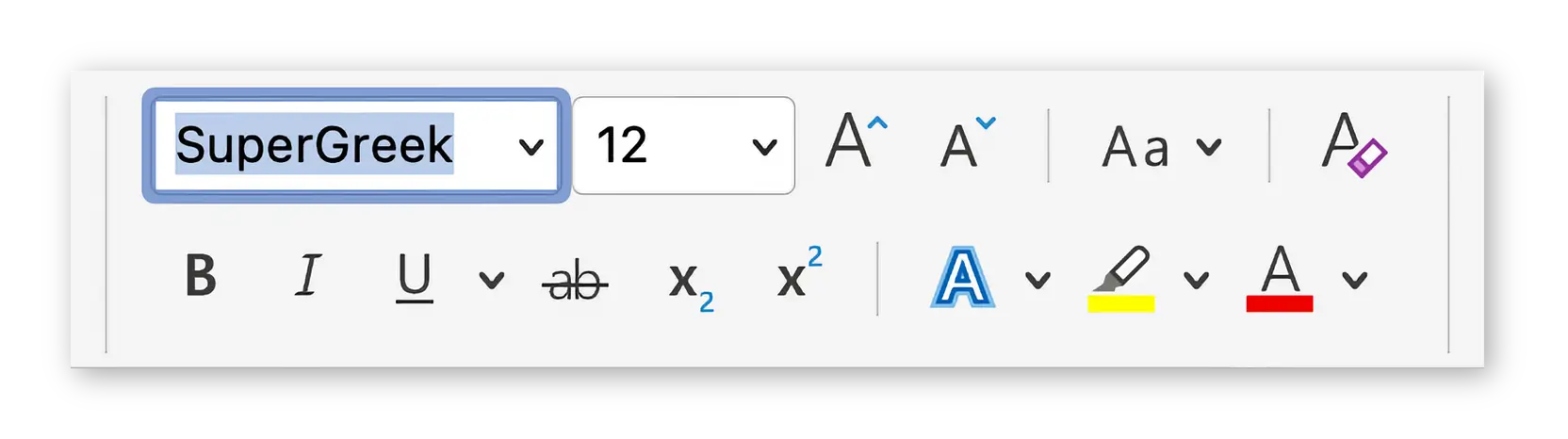
You can also apply the name of the source font manually to the source text by selecting it and typing the name of the source font into the appropriate font pop-up menu in the Ribbon, using the exact spelling used in GreekTranscoder 2:
-
I have an old LaserGreek font installed and when converting some text into it several characters are not transcoded correctly. Why is that?
Most of the legacy fonts you can still use today (many are simply not working any longer) are only partially supported by modern operating systems and applications. When present, they can actually interfere with the transcoding process: Microsoft Word may silently substitute glyphs or fail to match certain characters during Find/Replace operations, causing some conversions to appear broken.
Even if it sounds counterintuitive, when you want to produce a perfectly formed text using a legacy encoding, it is often best to work without the legacy target font installed. GreekTranscoder 2 does not need the font to be present (it works with character codes, not rendered glyphs). The resulting document will display correctly as soon as the font is installed on the machine where it will be read or printed.
If you do need the font installed while working, try a different version of the same font family if one is available: newer releases or alternate variants may have better compatibility with your system.
-
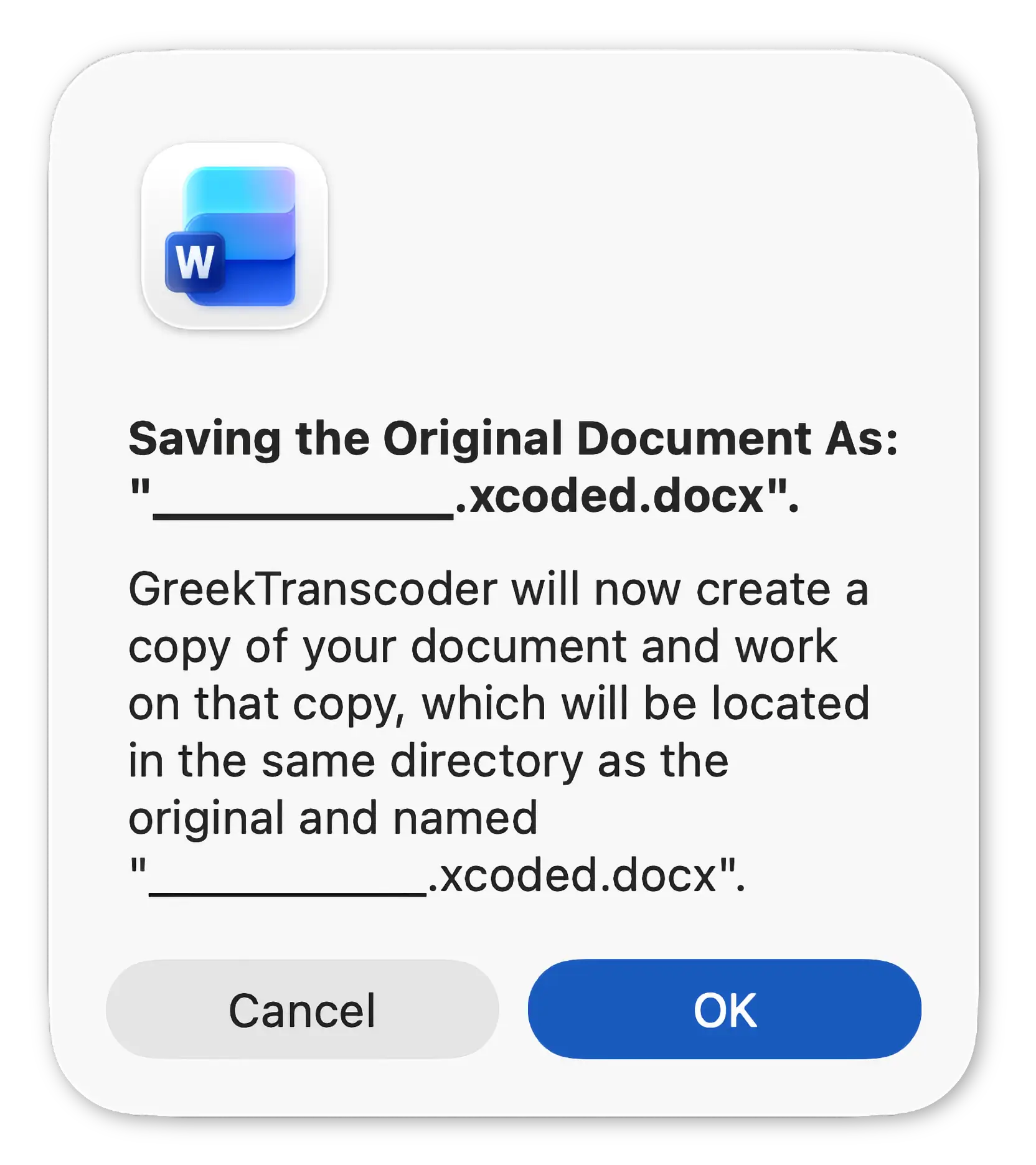
Sometimes, when GreekTranscoder 2 saves a copy of the original document before converting it, it brings up a dialog where the copy’s name is garbled
This issue is purely cosmetic: the “.xcoded” document will have the correct name and the original will not be modified at all. Internally, VBA does not always handle Unicode characters correctly in UI elements, so if your document’s name contains Greek characters, they will usually be displayed as underscores: “_”.
-
Conversion created thousands of tracked changes
This occurs when “Track Changes” was secretly active during conversion. Word has a bug where GreekTranscoder 2 cannot always detect or disable “Track Changes”. If you see this problem and receive a warning about it from the program:
- Close the affected document without saving.
- Delete that file: it is irredeemably corrupted.
- Reopen your original document (GreekTranscoder 2 never works on your original documents and, by default, never overwrites a converted copy).
- Manually turn OFF “Track Changes” (Review > Track Changes).
- Run the conversion again.
-
macOS: GreekTranscoder macros do not appear in the “Macros…” dialog
Install GreekTranscoder 2 for macOS version 2.0.4 (or later) to resolve the issue.
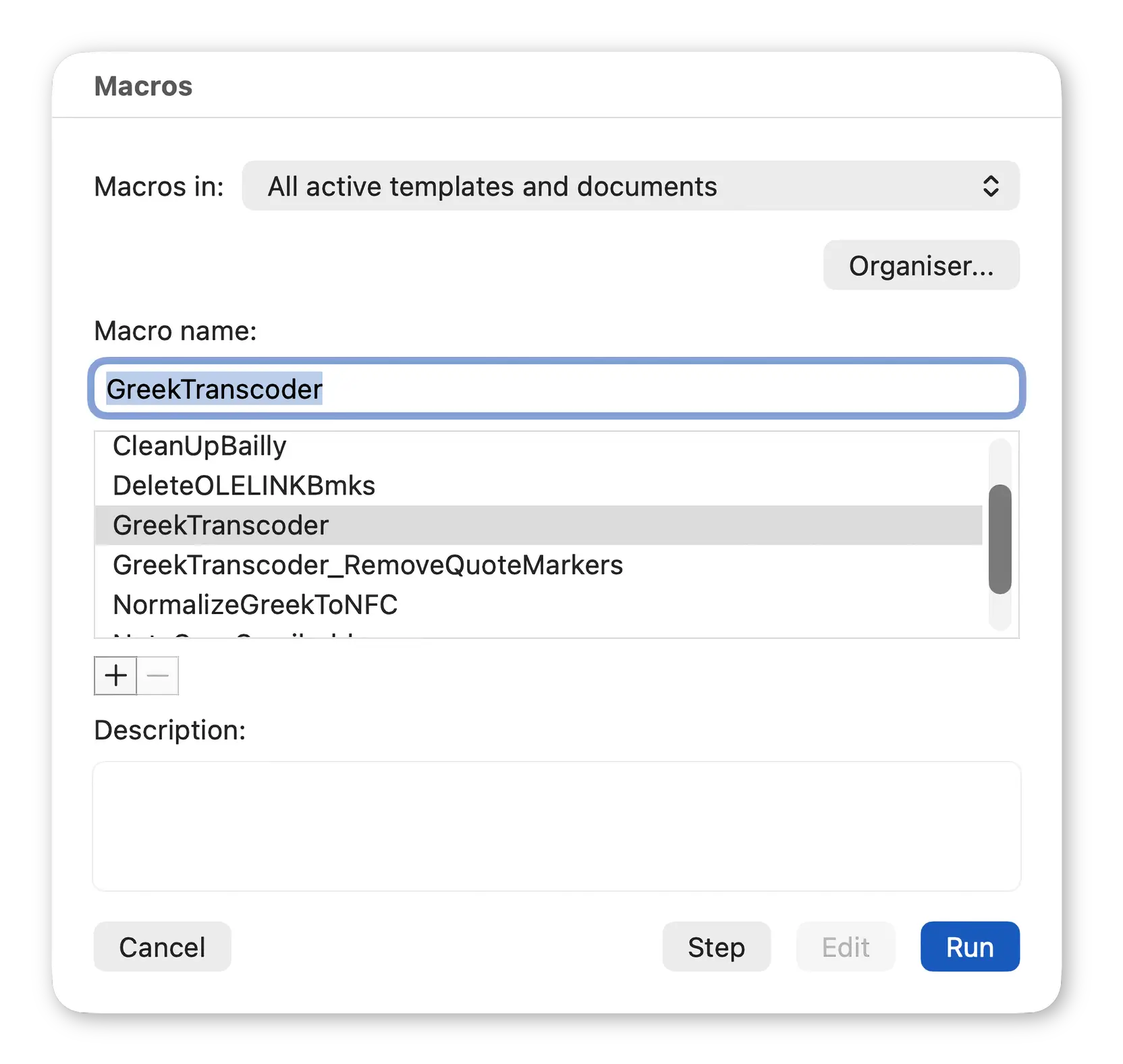
The version of GreekTranscoder 2 compatible with both Windows and macOS was never affected by this Word for macOS limitation.
macOS Unicode polytonic Greek keyboard layout

I have also developed a Unicode polytonic Greek keyboard configuration for “AZERTY” keyboards.
It requires Mac OS X 10.2 Jaguar or later, including macOS Tahoe 26, and a Unicode-compatible word processing program.
It can produce composed characters using either dead keys (first you type the diacritics, then the letter: ◌͂ + η = ῆ) or modifier keys (⌥ + α = ά); as well as composing characters using combining diacritics (ο + ◌́ = ό). In other words, it is very flexible.
Version 2 contains all the editorial signs needed by Classicists and now comes as two distinct configurations: one is fully NFC compliant, while the other preserves all the original ancient Greek characters.
Because some fonts do not display the canonical and original characters using identical glyphs, for scholarly work, the original version of the keyboard is probably more appropriate, as it will always preserve the ancient Greek text’s visual consistency.
However, if your ancient Greek text is meant to be published on a web page, you should type it using the NFC compliant version in order to avoid HTML validators’ warnings.
You can take a look at both layouts:
Download
GreekTranscoder 2
You can download GreekTranscoder 2 from here. Users of previous versions of the program should all upgrade to version 2, as it provides many useful bug fixes, improvements and new features.
Make sure you download the correct version of GreekTranscoder 2 for your Operating System: either Windows and macOS with Windows interface; or macOS-only with native macOS interface.
Note: if you use your browser to download the macOS-only version below, you will need to lift the Apple-imposed Quarantine from the downloaded application after installing it on your computer.
However, you can avoid the Quarantine entirely if you download the application by running the following command in Terminal (in Applications > Utilities):
curl -L -o ~/Downloads/GreekTranscoder2.zip "https://www.greektranscoder.org/download/mac"
Then double-click the downloaded .zip file in the Finder to extract the disk image containing the application, which will not be quarantined.
| GreekTranscoder 2.0.6 for Windows and macOS [13 MB, .zip] SHA-256 |
|
Download Alternate |
| GreekTranscoder 2.0.6 for macOS [16 MB, .dmg.zip] SHA-256 |
|
Download Alternate |
macOS Polytonic Greek Keyboard Layout
| Greek Polytonic Keyboard Layout 2.0.4 [500 KB, .zip] SHA-256 |
|
Download Alternate |
Support GreekTranscoder 2

GreekTranscoder 2 is free. As is my keyboard layout.
However, if they prove useful to you, please consider making a donation to show your support and appreciation for my work. Developing software is an expensive and time-consuming hobby, fun as it may be, and your help is very welcome.
Contact
Please do not hesitate to send me your : with your help, I can make GreekTranscoder 2 an even better program.
If you are writing about a possible malfunction, please include the following information:
- The version of GreekTranscoder 2 you are using (see bottom of its main window, just above the copyright notice.)
- The version of Microsoft Word you are using.
- The operating system you are using and its version number.
Thanks again for your support.